OWC Blog - blog.macsales.com

Tag-Archive for » 8 Core «

OWC Announces Industry’s First 16GB Module Based Upgrade Kits Up To 96GB For 2009-2010 Apple Mac Pro For Up To 3X More Memory Versus Factory Offered

Wednesday, June 1st, 2011 | Author: OWC NewsFeed

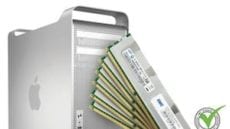
Other World Computing announced today its MaxRAM Certified Triple-Channel Memory Upgrade Kits are the industry’s first 16GB module based upgrades to provide up to 96GB for all Apple Mac Pro 2009 (Nehalem) and 2010 (Nehalem and Westmere) models. These new 16GB per module kits are Fully Tested, Qualified, and MaxRAM Certified for the most demanding applications and backed by OWC’s Lifetime Advance Replacement Warranty.

Apple Mac Pro 2009, 2010 Quad-Core and 6-Core Nehalem/Westmere ‘MaxRAM’ Option

Apple Mac Pro 2009, 2010 8-Core and 12-Core Nehalem/Westmere ‘MaxRAM’ Option

And The Mac Pro Upgrade Savings Beat Goes On

Tuesday, March 8th, 2011 | Author: OWC Grant

I read a good interview on Cher the other day and when I sat down to write this post, her “Beat Goes On” duet just seemed apropos for this topic.

Now that Apple officially supports 64GB of RAM in the Dual Processor 2010 Mac Pro 8-core and 12-core models, I got to wondering what the cost of that upgrade would be compared to our own 64GB kits.

A 64GB factory RAM upgrade will set you back a cool $3550.

Wanna save up to 48% on that upgrade? Then just buy OWC kits priced from $1819.99.

You don’t have to have a top of the line Mac Pro to enjoy those level of savings.

The single processor Quad-core model maxes out at 32GB at a factory cost of $1775. OWC’s 32GB RAM upgrade for this machine runs $919.99…and savings of 48% again.

And those savings don’t even take into consideration our cash back rebate offer for factory modules!

If I can pound that drumbeat rhythm into any Mac Pro owners consciousness, it’s that you can save big money by upgrading your RAM with OWC.

To see all the upgrades for the 2010 Mac Pro models, just visit this easy to find what you’re looking for page.

Have a 2006-2009 Mac Pro? No worries, we have just what your machine needs to run its best.

And the beat goes on….

Mac Pro and Radeon Video Cards, Part Deux

Wednesday, September 8th, 2010 | Author: OWC Grant

Actually, this might be part 3 or 4 of our updates that have captured the attention (and traffic!) of inquiring  Mac Pro users around the world. It all got started back in March of 2009 when OWC Larry himself told the faithful which NVIDIA and Radeon video cards worked on legacy machines.

Then, the big bombshell was when we posted this past August which Radeon video cards work with 2006-2009 Mac Pros.

Rather than bury another important update in that recent post and perhaps make this information difficult to find, we thought it best start a new post thread. (But for historical info and some GREAT reader comments, I highly encourage you to visit those above links.)

While most of us were enjoying an extended weekend of R&R, that uber-tech Rob-ART of Barefeats.com was laboring for the Mac community on getting more insight as to what Radeon cards and displays work with what Mac Pro.

What he learned was he could get  23″, 24″ and 30″ Apple Cinema Displays to work simultaneously on 2006-2010 Mac Pros with both the 5870 and 5770 video adapter cards.

How he achieves this feat is as follows:

1. 23″ Cinema or 30″ Cinema on the DVI port
2. 23″ Cinema with Mini DisplayPort to dual-link DVI adapter* on first Mini DisplayPort port
3. 24″ LED Cinema with direct Mini DisplayPort connection to second Mini DisplayPort port

* regular Mini DisplayPort to DVI adapter works if two 23″ Cinema Displays are attached.

For the full breakdown of his trials and results, visit his site index where he’s busy adding the details as addendum to existing articles.

***UPDATE 9/9/10***

Seems like your interest and OWC’sRob-ART’s coverage of the subject has gotten Apple to note which interfaces one should use when using multiple displays simultaneously:

http://support.apple.com/kb/HT4279

http://support.apple.com/kb/TS3477

Category: Tech Tips

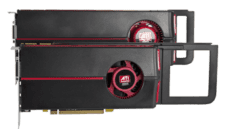
OWC Reveals Which Radeon Video Cards Work With 2006-2009 Mac Pros

Thursday, August 26th, 2010 | Author: OWC Grant

Our blog has been buzzin’ with questions as to whether or not the new Radeon 5870 and 5770 video cards found in the new Mid 2010 Mac Pros work with earlier model year Mac Pros. When first asked about this, we referred to the Apple display page that conspicuously left out any model except 2009-2010 Mac Pros

Fanning the flames of desire for more knowledge/information on this subject was Rob-ART at BareFeats who did confirm a day or so ago that the Radeon 5870 does work with 2008-2010 Mac Pros.

So we dove in deeper to give all inquiring minds a full blown investigation you have come to expect from us. Here’s the breakdown:

2006-2007 Mac Pro:

  • Sorry to say it, but the 5870 is not…repeat…NOT compatible.
  • The 5770 is compatible, but only with the DVI connection.

2008 Mac Pro:

  • Both the 5870 and 5770 cards work with both the DVI and MiniDisplay Port connections in any combination of two displays. So, you can have two displays with MiniDisplay connections, or one with a DVI connection and one with a MiniDisplay connection.
  • Adding a third display will override the DVI connection, causing it to deactivate.

2009-2010 Mac Pro:

  • Both the 5870 and 5770 cards work with both the DVI and MiniDisplay Port connections in any combination of two displays. So, you can have two displays with MiniDisplay connections, or one with a DVI connection and one with a MiniDisplay connection.
  • Adding a third display will override the DVI connection, causing it to deactivate.

We have also confirmed that all NewerTech Mini DVI and MiniDisplay Port video adapter cables are compatible with all Mac Pro models. And that’s a good thing as they offer thicker cabling and better shielding for the highest quality, interference-free display output.

Speaking of adapters…you are familiar with the NewerTech USB to DVI/HDMI/VGA to Video Display Adapter? You know, the one that lets you add up to four additional monitors to your Mac? A very cool gadget that’s bus powered so its ideal for mobile presentation use as well.

So there you have it…what cards you can add to your existing Mac Pro…what cables you use for a higher quality display…and more display space overall. A visual trifecta!

=============

UPDATE 8/27/10 Well, a bit clarification on certain issues and reiteration of others…here’s what we discovered after additonal testing (and yes, some of your feedback):

  • Despite using a boot drive from a Mac Pro 2010 model, we still could not get the 5870 to work with a 2006-2007 machines. We tried both 1,1 and 2,1 machines with most up to date boot ROM and SMC versions. And were running 10.6.4 with all current Apple (AAPL) updates installed.
  • The 5770 in the 2006-2007 is compatible using the newest build of 10.6.4 which is included with the new Mid 2010 Mac Pros and allows you to take advantage of all three display outputs on the 5770.
  • The 5870 and 5770 are fully compatible with 2008 Mac Pros using the newest build of 10.6.4 (which again is included with the new Mid 2010 Mac Pros) and allows you to take advantage of all three display outputs on both video cards.
  • We incorrectly stated that you could only use two displays on the 2009-2010 Mac Pros. In reality, all three display connectors can be utilized simultaneously so you can drive three displays.

We will continue to investigate all these issues (esp. the 2006-2007 models) and update the findings here accordingly. Thanks for your patience while we sorted this out! Now, we gotta get back to making some eSATA equipped iMacs and the OWC SSDs going into them as well ;-)

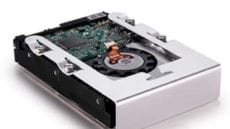
Add More Storage, Swap Drives On 2010 Mac Pro With OWC Hard Drive Sled/Bracket

Tuesday, August 24th, 2010 | Author: OWC Grant

Geez…if we could just catch our breath on all the cool new products and announcements for these new machines! While the page information should be updated as I write this, we have confirmed that the OWC Hard Drive Sled/Bracket for the Early 2009 Mac Pro does indeed work with all the new Mid 2010 Mac Pro models.

Having a spare hard drive sled is a great and easy way to add more storage capacity to your new machine, with the convenience of being able to swap drives without requiring any tools. Now you can rotate backups and keep one off-site, keep large projects or client files on separate drives, or even just make it “slide and swap” easy to transfer large data volumes between two compatible Mac Pros.

It’s a pretty simple kit complete with mounting screws and vibration dampeners so you can mount your drive quickly and have it running quietly.

Of course, if you don’t have a spare drive, we also have a wide assortment of high performance 3.5″ hard drives up to 2TB from which to choose.

You’ll note that the product page also has some additional helpful resources, such as an installation video for how to install a hard drive into a Mac Pro and links to a sled/bracket for the 2006-2008 Mac Pros. Hey…don’t expect anything less than thoroughness from us! We’ve been in your shoes and like to be as informed as possible on all options when it comes to our gear.

You CAN put 64GB RAM in your 2009 Mac Pro 8-Core!

Wednesday, December 16th, 2009 | Author: OWC Michael

rollercoaster-RAMThe tried and true rule of rollercoasters: “Please remain in your seat until the ride has come to a complete stop” certainly pulled into our testing station late yesterday. We had a few more tests to run in our MaxRAM qualification process and I’d like to take this moment to update the answer to our obvious question from my post yesterday…

Can I install 64GB of memory in my Mac Pro 8-Core with 8 memory slots and really make my Mac Pro lightning fast?

And the answer is, um, well… YES! you can do it- with a condition.

Mac OS X Snow Leopard 10.6.2 seems to be limited to 32GB of addressable memory in 32-bit mode. We filled up all the memory slots in one of our Mac Pro 8-Core machines with OWC 8GB modules. System Profiler had no issues in recognizing all the memory, in fact, Apple Hardware Test passed with flying colors. BUT, when we opened Activity Monitor in preparation for taxing all the memory in the system, we found that it was only reporting 32GB of available memory to the system.

However, when we booted to 64-bit mode (by holding down the 6 and 4 keys during boot) Activity Monitor reported the full 64GB of memory as usable. And boy was it ever usable. We ran a series of memory tests that works its way through each Gigabyte of memory so that all the memory in the system is tested to be usable without any degradation to performance.

So the simple answer is to boot your Mac Pro into 64-bit mode to take advantage of such a large amount of memory.

Realistically, at this point, there aren’t many 64-bit programs that are going to take advantage of that much memory…yet. But OWC has you covered when future advancements in programming are made – we’re anxiously awaiting a release of a full 64-bit capable version of Adobe’s Creative Suite ourselves – to fully utilize that much memory in the system. If you’re looking to be ready before that time happens, or if you have already found a 64-bit program that is craving more memory in your workflow, OWC has our 32GB set available – simply purchase two to maximize the memory in your Mac Pro.

Put 32GB RAM in your 2009 Mac Pro Quad-Core!

Tuesday, December 15th, 2009 | Author: OWC Michael

rollercoaster-RAMWell, there’s been a roller coaster of activity here in the OWC Labs already this week and its only Tuesday!

Other World Computing, through our in-house laboratory ‘MaxRAM’ Certified testing program, is proud to release today the first available third party 32GB 1066MHz DDR3 ECC memory upgrade for 2009 Mac Pro Quad-Core Pro models, including the newest 3.33GHz model announced by Apple earlier this month. With this announcement, OWC memory upgrades offer all Mac Pro users up to double the original factory memory with kits of up to 32GB for all Mac Pro Dual-Core, Quad-Core, and 8-Core Models.

What does that mean with the marketing text stripped out? Simply that if you have a Quad-Core Mac Pro – you can install as much memory as their big brothers, the 8-Core models…all supported by the memory experts you’ve come to know and trust.

The Quad-Core Mac Pro ‘Nehalem’ models have four memory slots. Installing four of our new 8GB memory modules allows these machines to max out at 32GB of memory.

As you should all know our mantra of more memory means better performance and then couple it with Snow Leopard, things really get cooking, since all 64-bit apps are now able to utilize more than 4GB of memory. Article Continues…