OWC Blog - blog.macsales.com

Tag-Archive for » adapter «

OWC Offers Free Shipping & Top 10 “Black Friday/Cyber Monday” Gift Giving Ideas

Thursday, November 19th, 2009 | Author: OWC NewsFeed
Other World Computing announced today it has begun offering free shipping on all orders over $150 from its on-line catalog of over 2,500 products and a Top 10 Gift Giving Ideas list with “stocking stuffer” suggestions starting at $3.99 to help consumers make tech/gadget gift giving easier and more economical heading into the upcoming “Black Friday/Cyber Monday” holiday shopping kickoff dates.
“With value and frugality being key objectives of shoppers this year, we wanted to make sure OWC offered the right products and services to make us the easiest, one-stop choice for Mac, PC, iPod, and iPhone products” said Other World Computing Brand Manager Grant Dahlke. “We’ve also extended our operation hours so qualifying orders can ship same day when placed as late as 10:30pm as well as permanently extending our Live Chat support to a full 24/7 service level.”
OWC Top Gift & Stocking Stuffer ideas include:
• Kensington Pocket-Link 3-in-1 Cable $3.99
Provides retractable Ethernet/telephone and USB cords in a single, self-contained housing.
• Cellboost iRecharge $4.99
External battery pack for iPods/iPhones and other USB chargeable devices.
• OWC Memory Upgrade Kits from $15.99
More memory = faster Mac with easy to install OWC Memory upgrades.
• OWC Express USB 2.0 Enclosure $19.99
Pocket-sized, bus-powered 2.5″ SATA hard drive enclosure for the digital mobile lifestyle.
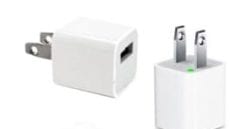
• NewerTech® Charge & Sync + $39.99
Portable charger, battery pack, and sync solution for iPods, iPhones, and other USB compatible devices.
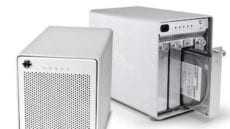
• NewerTech Voyager Quad Interface Hard Drive Docking Solution $89.99
“Quad Interface” hard drive dock for 2.5″ and 3.5″ SATA hard drives up to 2.0TB.
• NewerTech Guardian MAXimus $319.99
Plug and Play RAID 1 with two 1.0TB hard drives for protecting precious holiday memories.

presentforyouIn case you didn’t see it mentioned on other news sites, forums, etc, we announced free shipping on all orders over $150 today thru December 31st from our on-line catalog of over 2,500 products and a Top 10 Gift Giving Ideas list with “stocking stuffer” suggestions starting at $3.99 to help you make tech/gadget gift giving easier and more economical heading into the upcoming “Black Friday/Cyber Monday” holiday shopping kickoff dates.

We’ve been reading that value and frugality are the key objectives of shoppers this year and wanted to make sure we offered the right products and services to make us the easiest, one-stop choice for all your Mac, PC, iPod, and iPhone product purchases. And even bigger news perhaps is that we’ve extended our operation hours so qualifying orders can ship same day when placed as late as 10:30pm as well as permanently extending our Live Chat support to a full 24/7 service level.

OWC Top Gift & Stocking Stuffer ideas include:

Kensington Pocket-Link 3-in-1 Cable $3.99

Provides retractable Ethernet/telephone and USB cords in a single, self-contained housing.

Cellboost iRecharge $4.99

External battery pack for iPods/iPhones and other USB chargeable devices.

OWC Memory Upgrade Kits from $15.99

More memory = faster Mac with easy to install OWC Memory upgrades.

OWC Express USB 2.0 Enclosure $19.99

Pocket-sized, bus-powered 2.5″ SATA hard drive enclosure for the digital mobile lifestyle.

NewerTech® NuPower® Charge & Sync+ $39.99

Portable charger, battery pack, and sync solution for iPods, iPhones, and other USB compatible devices.

NewerTech Voyager Quad Interface Hard Drive Docking Solution $89.99

“Quad Interface” hard drive dock for 2.5″ and 3.5″ SATA hard drives up to 2.0TB.

NewerTech Guardian MAXimus $319.99

Plug and Play RAID 1 with two 1.0TB hard drives for protecting precious holiday memories.

FireWire 400 in a FireWire 800 World

Wednesday, June 24th, 2009 | Author: OWC Chris S.

One of the celebrated features on the new MacBook Pros is the return of FireWire 800 to the 13” model. Since the transition to Intel processors, FireWire has taken a less prominent role, with most current Macs eschewing FireWire 400 completely, and having one or two FireWire 800 ports. On the original 13″ Unibody MacBook, it was eliminated completely, so its return to the MacBook Pro 13” is quite significant.

FireWire has long been an Apple mainstay for plug-and-play storage, so there are quite a few FireWire peripherals out there. Unfortunately, while almost all Macs have one or two FireWire 800 ports, many peripherals (especially older ones) are FireWire 400 devices which, though compatible with FireWire 800, have considerably different ports.

So, in order to connect your old FireWire 400 devices, you’re going to need an adapter of some sort.

The adapter cable

This is probably the simplest solution. On one end, you have a FireWire 400 connector. The other end has a FireWire 800 connector. Each end goes into its appropriate port, and your FireWire device shows on the desktop.

Pros: Fairly simple implementation, widely available.

Cons: can only hook up a FW400 port to a FW800 port. Straight 800-800 or 400-400 connections require another cable.

The plug adapter

This adapter plugs on the end of a FireWire 400 cable converting one end to a FW800 connector. When hooking up a straight FW400 connection, the plug is removable.

Pros: Easily portable. Allows you to use the same cable for both FW400 enabled computers and FW800-only machines.

Cons: Small adapter can be easily lost.

Drive with a built-in hub

Any drive with both FW400 and FW800 ports can be used as an adapter. Just plug the FW400 device into the other device’s  FW400 port and it will be recognized, through FireWire’s backwards-compatibility and daisy-chaining capabilities. If you’re really going for connectivity, there are drives (such as the NewerTechnology miniStack) with built-in FireWire and USB hubs which are designed for exactly this purpose.

Pros: Storage plus a hub, always a good combination. Great for desktops.

Cons: not very portable…

Expansion Card

If your computer doesn’t have the ports you need, why not just add them? Expansion cards are available for all Mac towers, right up to the latest Mac Pro. Previous MacBook Pros (with the ExpressCard/34 slot) also have options to add FireWire 400 capability.

Pros: Your FW800 devices don’t have to slow down to FW400 speeds when FW400 devices are connected.

Cons: Not available for all computers.


Even though Apple has removed FW400 ports from all their machines except for the plastic MacBooks, FireWire is still a fast, easy, and stable method for connecting your high-volume data transfer devices. With OWC, you can be sure you can continue using the FW400 devices you’ve come to rely on.

Not sure what you need for your particular setup? Give our friendly, knowledgeable sales staff a call at 1-800-275-4576 and they’ll get you set up with just the solution you need.

Category: Tech Tips