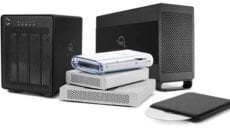
We talk a lot about backups on the OWC Blog, but that’s just because they’re so important. After all, your irreplaceable data is just that: irreplaceable. If you lose it, it’s difficult and/or expensive to get it back… and even then, it’s not a guarantee. By far and away, the simplest way to avoid unfortunate data loss is to have a backup of your data.
There are lots of different ways to back up your data. Apple’s Time Machine is a simple way to make sure any changes to your system are backed up. You simply plug a FireWire or USB drive into your Mac . You can also make a clone of your system, making a complete snapshot of your system at a particular point in time. There are also third-party utilities, such as Prosoft Data Backup and NovaBackup (both of which come included with all OWC and Newer Technology storage solutions) which offer ongoing incremental backup – meaning they will automatically update your backup set to your current data status on an automated basis. While Time Machine is great for its ability to give you back in time capabilities, Prosoft Data Backup 3, in particular, allows for a current, clean, alternative data backup set that is kept up to date without all the history versioning. It also offers options for multiple in-time backup points, such as weekly backups or monthlies – something helpful for record keeping.
Then, there are combinations of these, for even more security (such as a daily clone for your main drive, and filling in the interim changes with Time Machine). Article Continues…