OWC Blog - blog.macsales.com

Tag-Archive for » FW400 «

OWC Mercury Elite Pro Mini Single Drive “Quad Interface” External Storage Solution Now Features Next Generation Oxford 944SE Chipset

Monday, June 13th, 2011 | Author: OWC NewsFeed

Other World Computing today announced its Mercury Elite Pro mini portable external storage solution now features the next generation Oxford 944SE bridge chipset from PLX Technology for faster data throughput, reduced power consumption, and even cooler operation. Offering a “Quad Interface” of FireWire 800/400, USB 2.0, and eSATA connectivity for data transfer speeds up to 300MB/s, the Mercury Elite Pro mini delivers high performance storage/backup to Mac or PC users in a portable, no AC adapter required Plug and Play footprint.

13 “Quad Interface” models offering a variety of speed and capacity options from $99.97: Article Continues…

NewerTech Announces Guardian MAXimus mini Bus Powered “Quad Interface” Portable RAID Storage Solution For “Live Activity” Backup

Tuesday, September 14th, 2010 | Author: OWC NewsFeed

Newer Technology, Inc. announced today it has expanded its award-winning storage solution line with the new Guardian MAXimus mini bus powered portable hardware RAID storage solution for “live activity” backup/data redundancy of critical data. Featuring hardware RAID-1 redundancy for a MAXProtect “mirrored” copy of data or RAID-0 for MAXPeform speed and a “Quad Interface” of FireWire 800/400, USB 2.0, & eSATA connections, the Guardian MAXimus mini offers Mac and PC users Plug and Play storage capacity up to 1.5TB and data transfer speeds up to 300MB/s.

The NewerTech Guardian MAXimus mini is available immediately in six pre-configured hard drive and Solid State Drive (SSD) models with up to 1.5TB of storage capacity starting at $249.99 MSRP from NewerTech’s exclusive distributor, Other World Computing, as well as through the retail channel. For more details on this new storage solution, as well as reseller inquiries, visit: http://www.newertech.com/products/gmaxmini.php. For more information on NewerTech’s complete line of accessories and upgrades for Macs, PCs, and iDevices, visit: http://www.newertech.com/products. Article Continues…

Category: Press Releases

OWC gives you a double-dip on Elite-AL Pro RAID price drops.

Tuesday, March 23rd, 2010 | Author: OWC NewsFeed

Usually, if you see one price reduction on an OWC or NewerTech storage solution, you can safely bet that more price drops on other solutions are right around the corner. That theory stands up once again, as the new prices on the Triple-Interface Mercury Elite-AL Pro RAID models we announced late last week are followed up with price drops on the “Quad Interface” model.

Powered by a custom Oxford-based bridge coupled with the latest Serial-ATA hard drive technology, these Elites are fully A/V Certified as well as EMC Retrospect Backup Certified for all your audio/video, backup, graphics, music, and general data needs.

Other features include:

  • One eSATA port, two FW800 ports, one FW400 port, and one USB 2.0/1.1 port
  • Fully bootable
  • eSATA, USB2, FireWire 400, and FireWire 800 cables all included!
  • Prosoft DataBackup III (Mac OS X), , Intech Speedtools (Mac OS 8.6-10.5.x), Carbon Copy Cloner (Mac OS X), and NovaStor NovaBackup (Windows) included
  • Fully Mac & PC compatible
  • Industry Leading Three Year Solution Warranty

Yes, we include all that, yet we still are able to drop the prices down to prices like these: Article Continues…

Testing the World’s First 7200RPM 2.0TB External “Quad Interface” Storage Solution

Friday, September 18th, 2009 | Author: OWC Michael

Hitachi_2TB_HardDisk_Deskstar_7K2000We just received stock of Hitachi’s new 2.0TB 7200RPM DeskStar 7K2000 Serial ATA Hard Drive. We always test and qualify new products of this nature before releasing them for sale and man, these drives are fast! Rock Solid, High Performance, Quiet too. The only 7200RPM 2.0TB single drive model currently available and by far, the fastest 2.0TB Serial ATA (SATA) drive available today.

But don’t just take our word on it, see for yourself:

We benchmark all of our hard drive solutions using the QuickBench TM 4.0 Extended Test.  This test measures the drive’s ability to sustain large amounts of data (measuring between 20MB and 100MB) transferred to and from your computer.  For the purposes of this run, we used our OWC Mercury Elite-AL Pro Quad Interface Storage Kit and compared three of the 2.0TB hard drive mechanisms currently in our lineup: Article Continues…

FireWire 400 in a FireWire 800 World

Wednesday, June 24th, 2009 | Author: OWC Chris S.

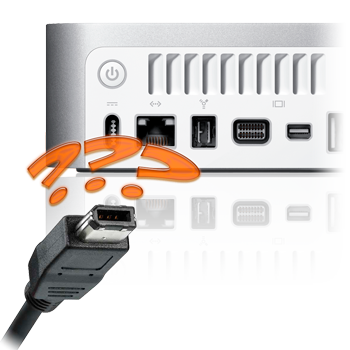
One of the celebrated features on the new MacBook Pros is the return of FireWire 800 to the 13” model. Since the transition to Intel processors, FireWire has taken a less prominent role, with most current Macs eschewing FireWire 400 completely, and having one or two FireWire 800 ports. On the original 13″ Unibody MacBook, it was eliminated completely, so its return to the MacBook Pro 13” is quite significant.

FireWire has long been an Apple mainstay for plug-and-play storage, so there are quite a few FireWire peripherals out there. Unfortunately, while almost all Macs have one or two FireWire 800 ports, many peripherals (especially older ones) are FireWire 400 devices which, though compatible with FireWire 800, have considerably different ports.

So, in order to connect your old FireWire 400 devices, you’re going to need an adapter of some sort.

The adapter cable

This is probably the simplest solution. On one end, you have a FireWire 400 connector. The other end has a FireWire 800 connector. Each end goes into its appropriate port, and your FireWire device shows on the desktop.

Pros: Fairly simple implementation, widely available.

Cons: can only hook up a FW400 port to a FW800 port. Straight 800-800 or 400-400 connections require another cable.

The plug adapter

This adapter plugs on the end of a FireWire 400 cable converting one end to a FW800 connector. When hooking up a straight FW400 connection, the plug is removable.

Pros: Easily portable. Allows you to use the same cable for both FW400 enabled computers and FW800-only machines.

Cons: Small adapter can be easily lost.

Drive with a built-in hub

Any drive with both FW400 and FW800 ports can be used as an adapter. Just plug the FW400 device into the other device’s  FW400 port and it will be recognized, through FireWire’s backwards-compatibility and daisy-chaining capabilities. If you’re really going for connectivity, there are drives (such as the NewerTechnology miniStack) with built-in FireWire and USB hubs which are designed for exactly this purpose.

Pros: Storage plus a hub, always a good combination. Great for desktops.

Cons: not very portable…

Expansion Card

If your computer doesn’t have the ports you need, why not just add them? Expansion cards are available for all Mac towers, right up to the latest Mac Pro. Previous MacBook Pros (with the ExpressCard/34 slot) also have options to add FireWire 400 capability.

Pros: Your FW800 devices don’t have to slow down to FW400 speeds when FW400 devices are connected.

Cons: Not available for all computers.


Even though Apple has removed FW400 ports from all their machines except for the plastic MacBooks, FireWire is still a fast, easy, and stable method for connecting your high-volume data transfer devices. With OWC, you can be sure you can continue using the FW400 devices you’ve come to rely on.

Not sure what you need for your particular setup? Give our friendly, knowledgeable sales staff a call at 1-800-275-4576 and they’ll get you set up with just the solution you need.

Category: Tech Tips