OWC’s Mid 2010 27″ iMac Turnkey Upgrade Program has been incredibly popular since we announced it back in August. After all, once you’ve upgraded your hard drive to an award-winning OWC Mercury Extreme SSD and have added an eSATA port for fast access to your external drives, you’ve got the most hot-rodded iMac out there, right?
Well… almost…
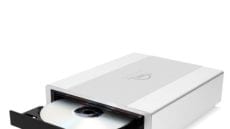
You see, we just made our upgrade program even better. Before, in order to get a third internal drive, you had to sacrifice your internal optical drive. Now, you don’t have to.
Now, you can keep your optical drive while still running three OWC SSDs for high capacity and insanely fast file access and transfer. Just how big and fast is that? How does a whopping 1.44TB of SSD storage accessible at nearly 800 MB/s sound?
Yeah, we thought so.
So, how did we manage to get an extra SATA connection inside the iMac? Unfortunately, it involves disabling the built-in, but infrequently used SD memory card reader. Don’t worry, though; we still have you covered. If you choose the option to replace the SD reader with another ultra-fast OWC SSD, we will include our 68-in-One Media Card Reader at no extra cost.
Now, not only will you have another fast OWC SSD installed, you’ll be able to access the memory cards of all kinds of devices, not just the ones that use SD cards, via a USB 2.0 port at the same speed as the built-in reader.
In other words, now you can have your cake and eat it too!
For more details, benchmarks and order information, check out our Turnkey Upgrade Page.

While Captain Kirk may have been talking about exploring outer space in the future during Star Trek’s famous (though
It’s been a while, but the new OWC Video Team has released its revamped series of Installation Videos for the Power Macintosh G4 (Mirror Drive Door) & Power Macintosh (FireWire 800) models.
Installation junkies rejoice! We’ve got some more instructional videos for you. This time around we’re covering the two machines we’ve received the most requests for: the 17” PowerBook G4 and the 15” PowerBook G4 (Aluminum).
We really don’t think about our optical drives a whole lot. That is, of course, until we need them.
All you hardware junkies out there who want to be in on the “new hardware take-apart” game, it’s time to rejoice. After a brief hiatus, we’ve got a new video in our Instructional Series for your viewing pleasure.
Upgrading your machine is a great way to bring out the best in it and allow it to do what you need it to accomplish. Over the years, there have been some common problems that keep popping up. Though most of you probably know them already, it sometimes slips by the wayside in eager anticipation of getting all those benefits the upgrades will bring.