OWC Blog - blog.macsales.com

Tag-Archive for » portable «

When You Need 2.5″ 1TB Capacity…Read the label.

Friday, October 2nd, 2009 | Author: OWC Grant

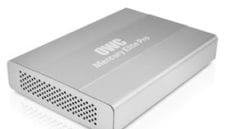
otg-nutritionIn case you were too caught up in our Facebook images covering our wind turbine arrival, you might have missed the plethora of media attention that our newest OWC Mercury On-The-Go Pro model received yesterday. What’s the big news? How does the first FireWire 800/400 and USB 2.0 bus powered 2.5portable drive offering 1TB of storage capacity on the market grab ya?

The high-performance, pocket-sized portable storage solution for Mac or PC users features FireWire 800, FireWire 400, and/or USB 2.0 connectivity for data transfer speeds up to 100MB/s with its 1TB of storage capacity, now offers 100% more data storage capacity than the highest capacity offered in the Mercury On-The-Go Pro line at the start of September.

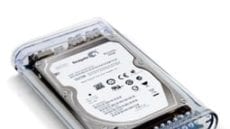
It’s small enough to fit into your shirt pocket yet can hold up to 1,000,000 JPEG photos, 500 DVD movies, 76 hours of digital video, or 350,000 MP3 songs in its stylish, impact resistant (teaser alert…VERY cool video coming on this soon…) acrylic case. Because it’s bus-powered, it can be used without an AC adapter which makes it perfect for road warriors, students on the go, and even the outdoors types that want to watch that latest blockbuster movie while communing with nature.

With a variety of FireWire and USB 2.0 interface models to choose from, the Plug and Play ready Mercury On-The-Go Pro can be used with Macs and PCs for data backups, transporting large files between computers, additional storage capacity, and even demanding uses like A/V editing and live music recording. The drive can also be used with storage capable digital cameras and camcorders with FireWire and/or USB data ports for fast, on-location backups of images and video.

OWC Larry was like a proud new papa when we realized that the OTG was going to be the first FireWire/USB 2.5″ 1TB external drive announced. “This was quite a month of innovations. The first week of September came the first 750GB FireWire/USB bus powered portable on the market. Mid-month we debuted solid state drive based models that are the most affordable SSD based portables on the market. Then to finish off the month with the new 1TB On-The-Go models really goes to show we put a big emphasis on even the smallest of our drives.”

The new Mercury On-The-Go Pro 1TB line is available in three interface models:

  • “Triple Interface” with FireWire 800/400 and USB 2.0 connectivity, $359.99
  • “Combo Interface” with FireWire 400 and USB 2.0 connectivity, $329.99
  • USB 2.0 only connectivity, $299.99

All three models are available for pre-ordering with an expected shipping date of October 19. They are compatible with Apple OS 8.6 to 9.2.2, Apple OS X (all versions) including the latest 10.6 “Snow Leopard”; and Windows 98SE or later operating systems and come ready for Plug and Play ease of use with all supported interface connecting cables, carrying case, $200 retail value disk utility software bundle, and an industry leading three year complete solution warranty which also features 48 hour warranty service.

New Pricing On OWC Mercury On-The-Go Pro

Wednesday, April 8th, 2009 | Author: OWC NewsFeed

OWC Mercury On-The-Go Pro FireWire+USB2 Combo Portable solutions provide convenient, interface flexible storage at a competitive price. Built for performance, reliability, and durability; all models are bootable via FireWire and/or USB2. And now this lightweight powerhouse can be had at a lower price!

Each drive is bus-powered (no external power required), feature Oxford performance FireWire chipsets, and the best qualified HD mechanisms for optimum performance and reliability. The shock absorbing design further protects the drive and valuable data from external forces. All connecting cables, carrying case, and an industry leading 3 Year OWC Warranty are included. We also include a $200 retail value disk utility bundle of award-winning Prosoft DataBackup 3 for OS X, Intech HD Speedtools, and NovaStor NovaBACKUP® for Windows.

Don’t take our word for it!

These drives and their sister, OWC On-the-Go 2.5″ Kits, now priced from $27.95, solve all your travel needs, but you don’t have to take our word for it. Here are links to recent reviews of our On-The-Go solutions:

12/11/08 – OWC Mercury On-The-Go (320GB) – PCMag.com, by Joel Santo Domingo.

12/09/08 – OWC Mercury On-The-Go FireWire 800/400 + USB 2.0 320GB – Macworld.com, by Chris Holt. (By the way, don’t miss the comments section for even more user testimonials.)

11/25/08 – Photographer Scott Kelby’s travel photography workflow, which depends on OWC On-The-Go drives.

4//19/08 – OWC’s Triple-Interface Mercury-on-the-Go 500GB HDD, Gizmodo, Australia.

If these recommendations don’t convince you, take a look at who 9to5mac shows using two OWC Mercury On-The-Go drives with a MacBook…President Obama!

Re-use an old flash drive for a portable photo gallery.

Wednesday, March 11th, 2009 | Author: OWC Chris S.

Wow! With Apple’s new releases last week, things are jumping in the Creative Department here at OWC,  as we put together all those take-aparts we know you love. As a result, I’ve got just a quick little tip for you today.

USB Flash drives have become nearly ubiquitous nowadays. About a year ago, I bought a nice, metal-cased one which I kept in my pocket and used to “sneakernet” larger files back and forth between computers, when necessary.

As all things technological seem to go, what once seemed spacious now seems cramped. I have since replaced that flash drive with one that’s several times larger. But as with many things, sometimes an older product can become useful again when you use it for a more specific purpose, rather than general use. As I enjoy taking photos, I decided to use it as a quick-n-easy photo gallery that I could display on any computer.

First, I formatted the drive in FAT32 (unfortunately, it is still a PC world out there). Next, I made a quick HTML-based photo gallery, and put it all on the drive.

The old flash drive now sits on my key ring. Its metal case made it a natural for that, but a plastic-cased one wrapped in electrical tape works just as well.

Now, all I have to do is plug the drive into any computer with a USB port and drag the gallery to a convenient Web browser. In no time, I’m showing off photos of my family, friends, and events.

Recently, I also put a plain text file containing my name, address, email and phone number on the drive. This way, if I lose my keys and someone finds them, there’s a slightly better chance that I can get them returned to me.

Especially if they see those pictures of my oh-so-cute kitties…